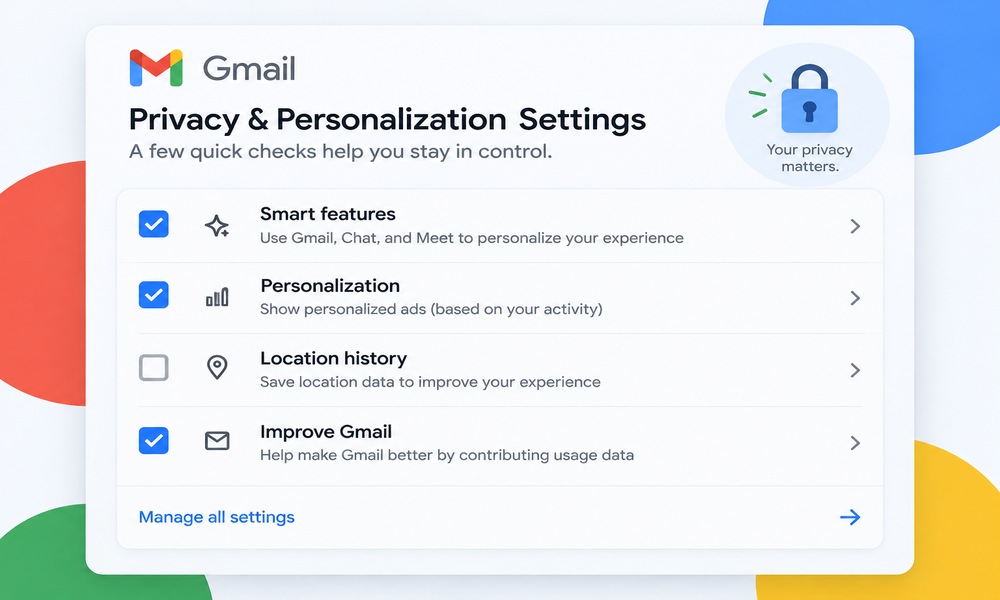
Google’s privacy settings live in a lot of different places, under names that change every year or two, which is a big part of why most “privacy checkup” advice online is already out of date by the time you read it. This is a checklist of the settings that currently exist, what each one actually does, and where to find it.
You don’t need to change all of these. Go through the list, decide what fits how you actually use Google, and skip the rest.
Quick answer: The Google settings worth reviewing right now are Web & App Activity, Search Services History and Save Media, YouTube History, Timeline (formerly Location History), My Ad Center, third-party app connections under Security, and Results About You. If you're an EU account holder, there's also a separate Linked Google Services control tied to the Digital Markets Act. None of these require deleting your account or giving up Google's products. They just control what gets saved and how it's used.
Web & App Activity
This setting controls whether Google saves your searches, browsing activity in Chrome (if you’re signed in), and voice/audio interactions to your account, which personalizes things like search suggestions and ad targeting. You’ll find it under Data & privacy, then Web & App Activity (myactivity.google.com/personalization/settings/waa). You can turn it off entirely, or leave it on but set auto-delete after 3, 18, or 36 months so history doesn’t build up indefinitely.
Search Services History and Save Media
A more recently split-out setting that covers search-specific history and whether images or media you’ve interacted with in Search get saved. It sits under Data & privacy, Search Services History (myactivity.google.com/search-services/settings). If you’d rather Google not retain a record of media you’ve viewed through Search, uncheck Save Media here specifically. It’s easy to miss because it’s separate from the main Web & App Activity toggle.
YouTube History
If you use YouTube signed into your Google account, your watch and search history feeds recommendations and ads. Under Data & privacy, YouTube History (myactivity.google.com/product/youtube/controls), you can pause it or set it to auto-delete on a schedule, same as Web & App Activity.
Timeline (Location History)
Google renamed Location History to Timeline a while back, and the data now lives primarily on-device rather than always synced to Google’s servers by default, though it depends on your settings and device. You can review and manage it under Data & privacy, Timeline (myactivity.google.com/activitycontrols?settings=location). Turning it off stops new location visits from being logged; you can also delete what’s already there.
[INTERNAL LINK: /does-google-ai-read-your-gmail “see our related guide on Gmail’s smart features and what they actually scan”]
My Ad Center
This is where Google’s ad personalization controls live now (myadcenter.google.com/controls), replacing the older “Ad Settings” page. Here you can see the interests and demographic guesses Google has attached to your profile for ad targeting, correct or remove them, or turn off personalized ads for your account entirely. Turning it off doesn’t reduce the number of ads you see, just how targeted they are.
Results About You
A tool that lets you request removal of certain personal information (like your phone number, home address, or email) from Google Search results, separate from removing it from the site that originally published it. Find it at myactivity.google.com/results-about-you if you want to see what Google has flagged as personal information tied to your name.
Third-Party App Connections
Under Security, not Data & privacy, you’ll find a list of third-party apps and services you’ve connected to your Google account over the years (sign-in with Google, calendar integrations, old apps you forgot about). It’s worth reviewing this list periodically and removing anything you no longer use or recognize, since each connection is a standing grant of some access to your account data.
Linked Google Services (EU Accounts)
If your account is registered in the EU, you may see a separate Linked Google Services control, introduced as part of Google’s compliance with the EU’s Digital Markets Act. It lets you unlink specific Google services (like linking your Search activity to YouTube, or Chrome to your broader account) from each other. This option generally doesn’t appear for accounts outside the EU, so don’t be alarmed if you can’t find it.
Quick FAQ
Where is Google’s “Privacy Checkup” now?
Google periodically renames and reorganizes this flow. The most reliable way to reach the current version is through Data & privacy in your Google Account settings (myaccount.google.com), rather than searching for a specific “Privacy Checkup” URL that may have moved.
Does turning off Web & App Activity delete what’s already saved?
No, turning it off only stops new activity from being saved. You need to separately delete existing activity if you want it removed.
Does turning off ad personalization in My Ad Center reduce the number of ads I see?
No. It only affects how targeted those ads are, not the ad volume.
Is Timeline the same as Location History?
Yes, Timeline is Google’s current name for what used to be called Location History. The underlying setting serves the same purpose.
Do I need to do all of this?
No. Treat it as a menu. Review each setting, decide what matches how much personalization versus privacy you want, and only change what’s actually bothering you.